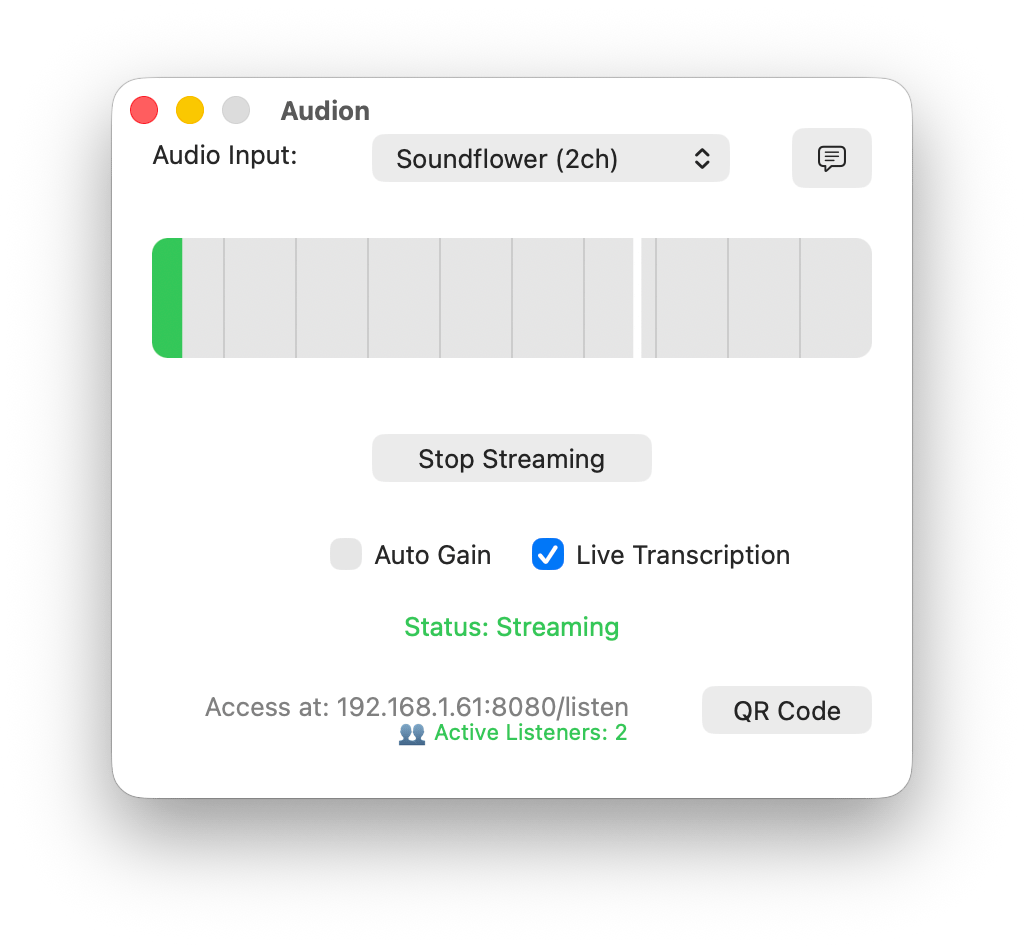
Stream audio & captions locally
from your Mac
to any device with Wifi and a browser. Perfect for assistive listening, nurseries, overflow rooms, and live events.
Download FreeHow it Works
Perfect For
Assistive Listening Services
Provide ADA-compliant audio assistance without expensive hardware systems.
Overflow Rooms & Nurseries
Let parents hear the service or event while caring for children.
Outdoor Events
Stream to tents, parking lots, or overflow areas.
Key Features
Professional audio streaming made simple.
Everything you need, nothing you don't.
🎵 Zero-App Streaming
Listeners connect through any web browser—no app downloads, no account creation, no friction. Just scan a QR code or visit a URL.
📱 Universal Compatibility
Works on iPhone, iPad, Android, tablets, and laptops. If it has a browser, it works.
🎚️ Auto Gain Technology
Automatically normalizes audio levels between quiet speaking and loud music. No more reaching for volume controls during transitions.
💬 Live Transcription
On-device speech-to-text displays real-time captions on listener devices. Supports 40+ languages with customizable text corrections for biblical terms and specialized vocabulary.
More Amazing Features
Everything you need for professional audio streaming
Live Transcription
Real-time speech-to-text captions in 40+ languages with smart corrections for biblical terms and specialized vocabulary.
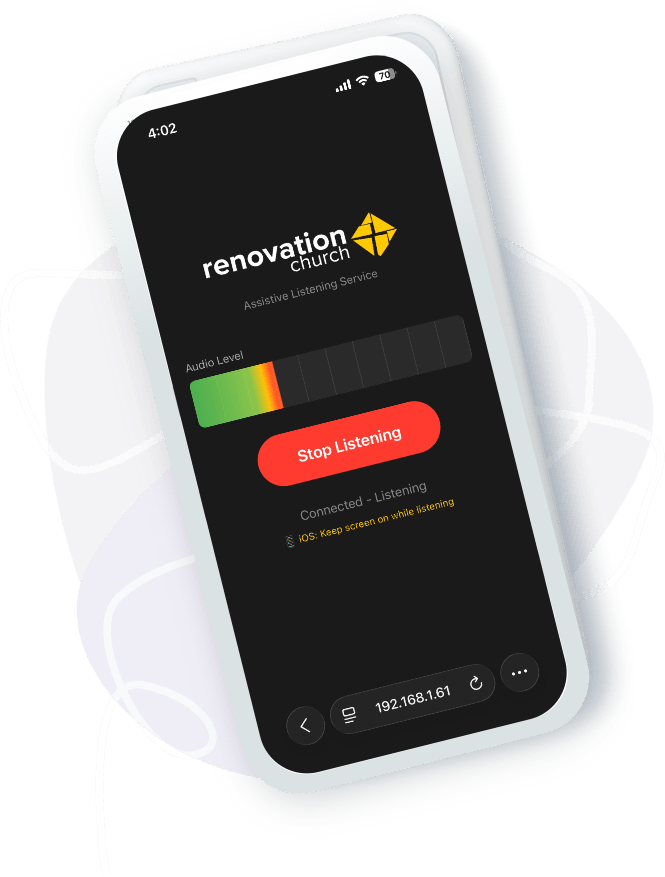
Real-Time Monitoring
See active listener count at a glance—in your app window and as a dock badge.
Professional Audio Quality
Low-latency streaming (80-150ms) with automatic sample rate detection. Sounds as good as being in the room.
Print-Ready QR Codes
Generate QR codes for bulletins, signage, and welcome materials.
Flexible Audio Input
Support for any macOS audio device—soundboard outputs, USB interfaces, built-in mics, virtual, or aggregate devices.
Privacy First
Local network only. No cloud services, no data collection, no subscriptions. Your audio never leaves your building.
MIDI Control
Trigger your stream via ProPresenter, a lighting console, or any Virtual/USB/Bluetooth/Network MIDI controller.
How It Works
Getting started is incredibly simple
For Staff:
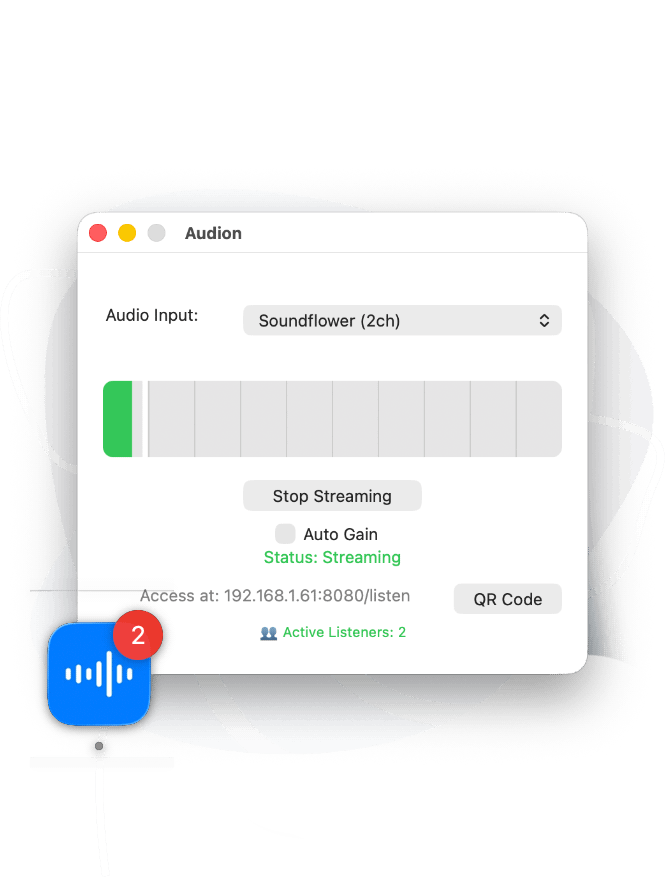
- 1 Connect your Mac to your audio system
- 2 Select your audio input device
- 3 Click "Start Streaming"
- 4 Share the QR code or URL
For Attendees:
- 1 Scan the QR code in the bulletin
- 2 Tap "Start Listening" in their browser
- 3 Enjoy clear, personal audio
- 4 Works with headphones or device speakers
Pricing
No subscriptions. No ads. No kidding.
FREE
Complete, forever free. No catch.
- All features included
- Unlimited listeners
- Professional audio quality
- No subscriptions required
- Free updates forever
What Makes It Different
No Hardware Investment
Traditional assistive listening systems cost thousands. Audion uses equipment you already own.
No App Store Hassles
Listeners don't need to find, download, and figure out an app. It just works in their browser.
Professional Features
Auto gain, real-time metering, low latency, and quality monitoring give you broadcast-grade reliability.
Technical Specifications
System Requirements
- • macOS 11 (Big Sur) or later
- • Apple Silicon or Intel Mac
- • Any audio input device
- • Local WiFi network
Audio Quality
- • Sample rates: 44.1kHz to 48kHz
- • Channels: Mono or stereo
- • Latency: 80-150ms typical
- • Format: Uncompressed PCM
Network
- • Local WiFi only
- • No internet required
- • Unlimited concurrent listeners
- • Standard HTTP streaming
Frequently Asked Questions
* For lowest latency (best lip-sync) we recommend using wired headphones rather than bluetooth.
Download Audion Now
Version 1.1 - Compatible with macOS 11+
Start streaming crystal-clear audio to your attendees today. No subscriptions, no ads, completely free.

Audion was created to make assistive listening technology accessible to everyone, regardless of budget. We believe everyone deserves to hear clearly during life's most important moments.
Built with ❤️ in AZ 🌵 by Josiah.
© 2026 Audion. All rights reserved.